Even Olympus has offered us with best photography technology and optical options, it cannot eliminate human errors when we are using Olympus digital camera to take photos.
Human errors such as accidental deletion or format without backing up digital photos, for example, you have purchased a new Olympus camera and taken lots of digital photos while go out traveling with family. Suddenly the camera SD card is out of space which means you have to delete some photos in order to move out some more free space for new photos. So you deleted some that look not so nice, but back home found several other nice photos were also deleted due to your mistakenly operating. In this case, will it be possible to recover deleted photos and videos from digital camera?

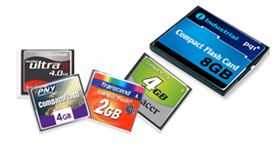
Another scenario you may need to recover deleted photos from digital camera. As we know all the photos we take with Olympus camera are stored or saved on memory cards such as SD, SDHC, MMC, and CF memory cards. Sometimes when we insert the camera memory card to our computer or laptop to backup all the precious photos in case of emergency, the system cannot recognize your camera memory card properly and asks you to format it. You follow the instruction without thinking too much and format your Olympus camera memory card, the result is all your valuable digital photos are deleted.
Any way to recover deleted photos from SD card? The answer is,Yes!
Why deleted photos can be recovered from digital camera?
No matter your photos are deleted due to mistakenly operation or accidental format, all the deleted photos can be recovered from your camera's memory card. As a matter of fact, when you delete photos from your Olympus camera, the deleted photos are not actually deleted permanently. You simply delete the associated entry and the photo data are still saved in the original sectors of camera memory card disk. One thing different is those data space is marked as available for other new data to write over or occupy.
Formatting Olympus camera is also similar case. When you format the camera memory card, all the photo information is not deleted permanently just the file system erases the information about where those photo data are allocated and what size are the data etc. And all your deleted photo data is still there waiting to be occupied. So as we can see, when your delete or format photos from Olympus camera, as long as the deleted photo data are not occupied or overwritten, it is highly possible for you to retrieve deleted pictures from memory card.

How to retrieve deleted pictures from digital camera?
The best way to recover deleted pictures from digital camera is to try some data recovery software. As they will apply specific advanced data algorithms to analyze the camera memory card to look for the lost photo data, once found it is quite easy to recover the whole deleted photos.>
Tenorshare Data Recovery is such kind of advanced data recovery program to recover deleted photos from digital camera. With deep scan and preview functions, it can recover lost photos from digital cameras at great ease. Olympus cameras types like V series, Tough series, S series, X series and E-system Cameras are all supported. This photo recovery tool is available in almost all Windows platforms including Window 7, Vista, XP etc. Besides, it is also a photo recovery software to recover deleted videos and audio files from digital camera.
One more tip you have to remember:
when your photos are deleted from digital camera, do put your camera and the memory card in safe place and do not attempt to take more pictures. Because physical damage and data overwritten will make your deleted digital photos unrecoverable even with the best photo recovery program.